
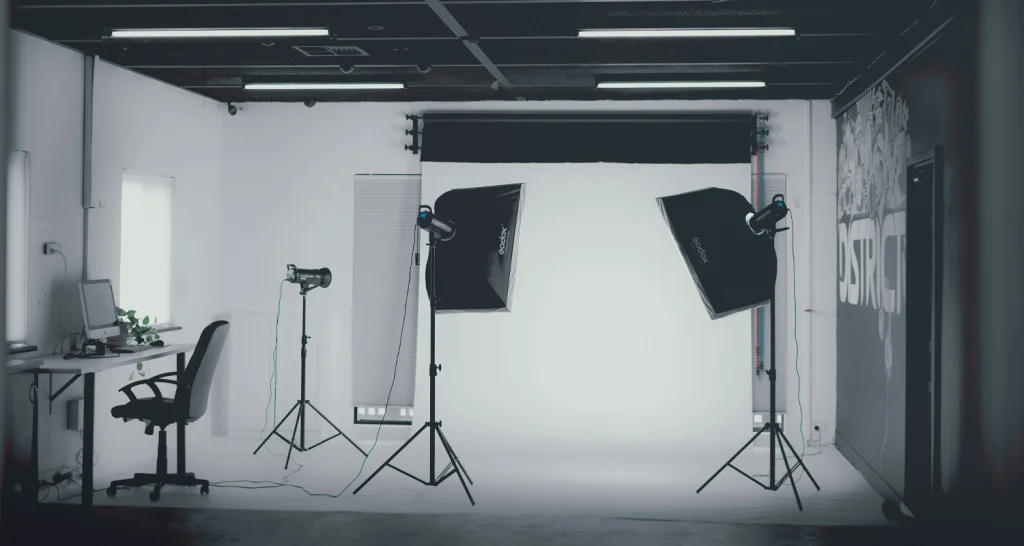
AI-generated lifestyle images have gone from a novelty to a standard part of the ecommerce toolkit in about eighteen months. If you sell on Shopify, you’ve probably already seen them or used them. The technology has gotten good enough that most shoppers can’t tell the difference between a real photo and a well-made AI image.
Here’s the part that gets skipped: the technology being capable doesn’t mean every AI lifestyle image you publish will help you sell. Some will. Then, some will quietly cost you trust in ways that don’t show up until you check your return rate.
When AI lifestyle images work, they work well — lower cost, faster time to market, and images that would have been impossible without a full production shoot. When they don’t work, the products can look fake or misleading.
More merchants are choosing to use AI for product photography, and it can be a real shortcut when it works. This post is about knowing the difference before you publish.
What “using AI for product photos” actually means
It’s worth being precise here because “AI product photos” gets used to describe a few different things.
What we’re talking about in this post is AI-generated lifestyle imagery: you give the AI your actual product image, and it places that product into a generated scene — a kitchen counter, a living room, a model in the street, or a beach at sunset. The product is real. The context around it isn’t.
This is different from AI upscaling or background removal (processing tools that work with the existing photo), and different from fully AI-generated product images where the product itself is synthetic. With lifestyle generation, you start with a real photo and the AI builds a scene around it. Done well, the product looks exactly like your product in a context that helps shoppers understand it. Done poorly, the proportions are off, the lighting doesn’t match, or the product itself gets subtly distorted — and shoppers notice, even if they can’t explain why.
Four jobs a lifestyle image has to do
Before you can decide whether AI is the right tool, it helps to be clear about what you’re asking a lifestyle image to do.
- Set context
A lifestyle image shows the shopper where and how the product lives — a candle on a nightstand, a suitcase on an airport conveyor, or a plant pot on a balcony. Context converts browsers because it helps people picture the product in their own life. - Show scale and use
Lifestyle images answer the spatial questions that studio photographs can’t. How big is this, really? How does someone actually use it? A flat-lay can tell you what something looks like. A lifestyle image tells you what it’s like to have it. - Create aspiration
The best lifestyle images don’t just show a product — they show an outcome. The tidy kitchen. The organized desk. The effortless morning routine. That aspiration is what turns a browsing session into a purchase decision. - Stay realistic
This is where things get complicated. A lifestyle image only converts if the shopper believes it. The second something reads as fake — the proportions feel off, the lighting doesn’t match, the product color has shifted — the aspiration collapses. The shopper feels misled, even if they can’t articulate what’s wrong.
AI does the first three jobs reasonably well. The fourth job is where it earns or loses trust, and it depends heavily on the product you’re selling.
Where AI lifestyle images win
There are categories of products where AI lifestyle images perform reliably, and the pattern is consistent: products where the scene matters more than the fine detail of the product itself.
Seasonal context settings are the clearest win. You have a product — a throw pillow, a coffee mug, a scented candle — that you want to show in a summer setting or a holiday setting. Photographing the item in multiple different scenes ends up costing a lot and takes a lot of time. This is exactly where AI-generated backgrounds for product photography work well because you are changing the scene, not the product. AI handles this at a fraction of the cost.
Hard-to-shoot items are another strong use case. Some products genuinely need context that’s difficult or expensive to arrange in a real shoot, such as outdoor furniture, large rugs, and gym equipment. If you’re a small brand selling outdoor furniture and you don’t have access to a photogenic backyard, AI lifestyle generation can easily put your product in one, and it can look great!
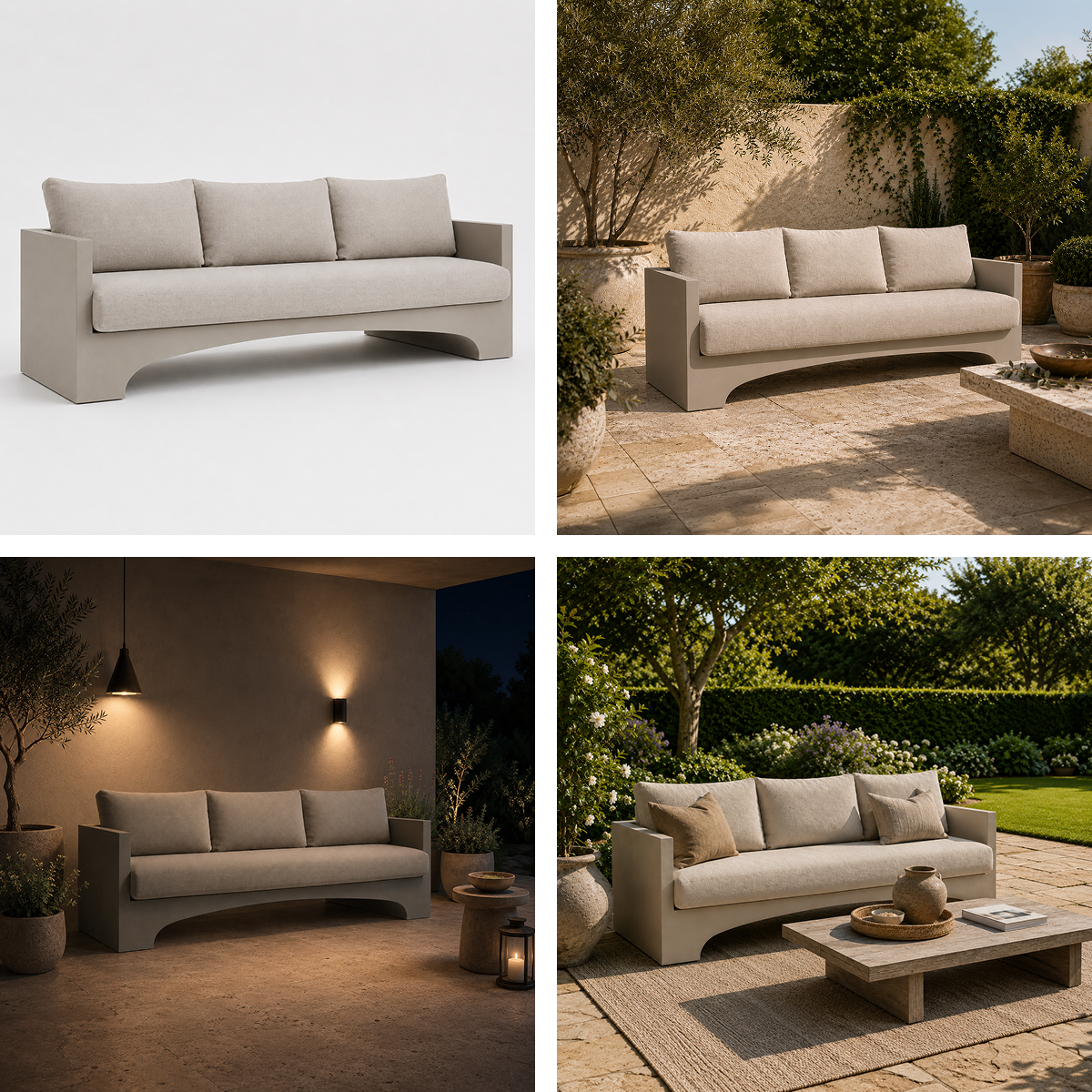
Scaling your catalog is where AI lifestyle images probably get used most in practice. You’ve got a catalog of thirty products. You have one good studio photograph of each. You want at least one lifestyle image per product, but you can’t afford thirty lifestyle shoots. AI fills that gap at a scale that used to be impossible for small brands. For more on this trade-off, see our guide on white background vs lifestyle product photos.
In all three scenarios, the common thread is this: the shopper’s trust is in the product itself, which is real. AI is only responsible for the context around it. If you decide it fits, it pays to compare the best AI tools for product photography before you commit, because quality varies widely between them.
Where AI lifestyle images lose
AI lifestyle images tend to backfire in the same situations: when the exact detail of the product is what the shopper is buying. This is one aspect of product photography that AI most often gets wrong.
Products with detailed texture and material are the highest-risk category. If you sell linen bedding and the buying decision is “what does this fabric actually feel like and look like,” a lifestyle image where the AI has subtly smoothed or changed the texture is not just unhelpful — it’s misleading. Baymard’s research on the different types of product images explains why texture shots carry so much weight in these decisions.
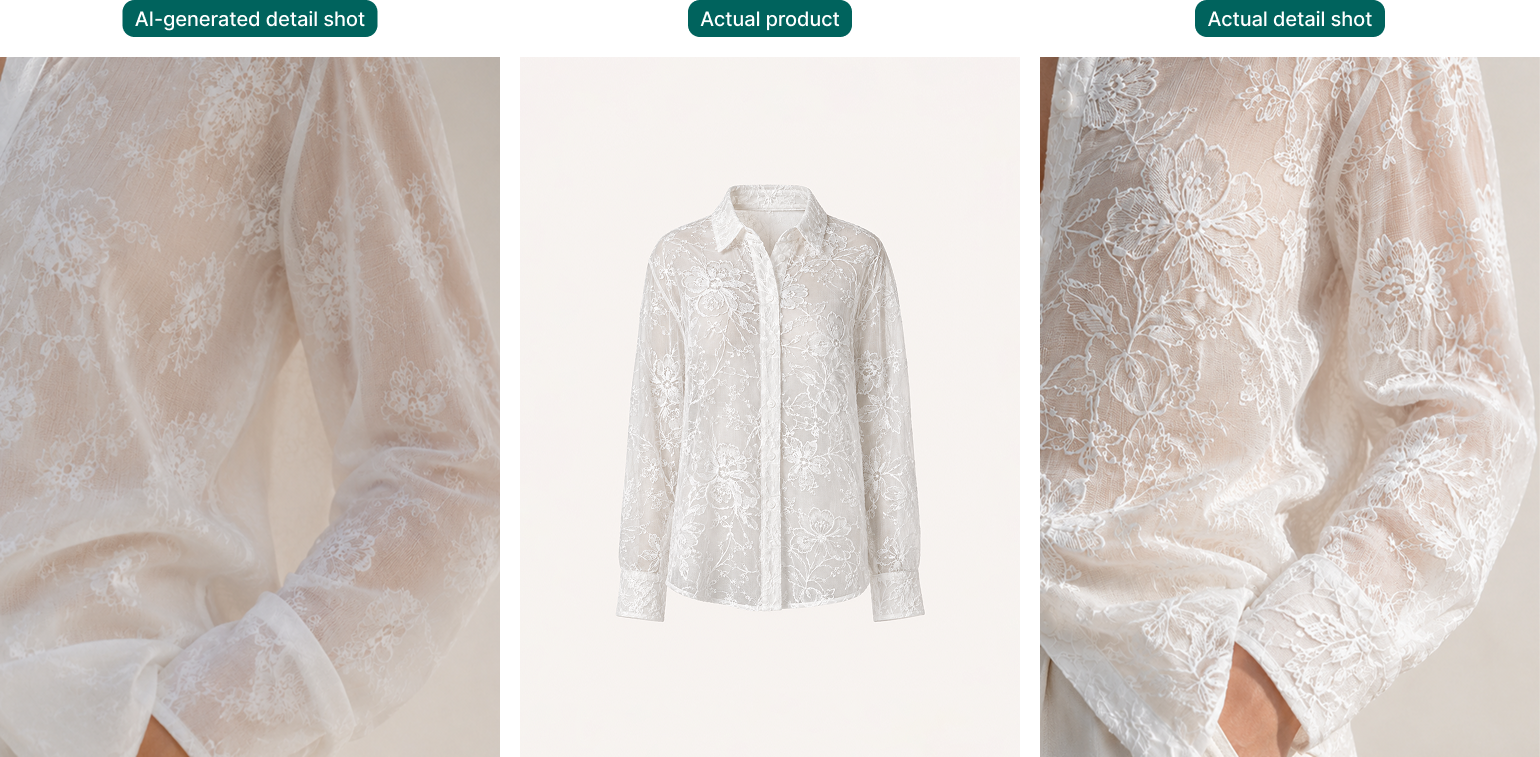
Color-critical products fall into the same trap. AI lifestyle generation regularly shifts product colors slightly, especially when the scene has strong ambient color. If you sell paint, fabric, ceramics, or anything where the buyer is choosing based on an exact color, an AI image that shifts that color even a few degrees can cause a trust problem.
Fit and proportion is where AI most visibly breaks down. Clothing, accessories, and any product where how it looks on a person matters — AI models still struggle with accurate proportions, natural poses, and fabric behavior. A sweater that looks beautiful on an AI-generated model can arrive looking nothing like what the shopper expected, because the model’s proportions warped how the garment sat. This is the category where AI lifestyle images generate the most returns.
High-ticket items carry extra risk for a different reason. The higher the price, the more scrutiny the shopper brings. An AI image that looks perfectly acceptable on a $20 product looks unconvincing on a $500 one, because the shopper’s trust threshold goes up with the purchase price. If anything reads as off, they’re gone.
The trust line: How to tell which side you’re on
Before you publish any AI lifestyle image, there’s a short check worth running.
First: is the product the same product? Compare the AI image to your original photo. Check the color carefully. Check the proportions. Look at any texture or material detail that matters. If anything has shifted, the image isn’t safe to publish — at least not as a primary image.
Second: would a disappointed shopper be right to feel misled? This is the real test. If someone buys your product based on this image and it arrives looking different in any meaningful way, that’s misleading — regardless of how good the image looks. “Realistic” and “accurate” are not the same thing.
Third: is a detailed or aspirational photo needed? If the image exists to set a scene and create aspiration, AI can likely handle it. If it exists to show the shopper exactly what they’re buying, real photography is the safer call.
One more thing: if you do use AI lifestyle images, use them alongside real product photos, not instead of them. The AI image does the aspiration work. The studio shot gives shoppers the accurate product view they need to feel confident. Both together are the right combination.
How Pixc thinks about it
We built Lifestyle Photos because the use case is real and the technology has genuinely gotten good enough to deliver on it for the right products. A small brand shouldn’t have to pay for full lifestyle shoots for every seasonal background change, every new context shot, or every catalog expansion.
But we also built it with the understanding that the tool isn’t for every product in every situation. When we talk to merchants about Lifestyle Photos, we’re honest about where it works and where it doesn’t. Use it for context and aspiration — scenes, settings, seasonal moments. Don’t use it as a substitute for accurate product detail when that detail is what the shopper is buying.
The goal is to increase conversions without generating more returns. That means the aspiration in the lifestyle image has to match the reality of what shows up at the customers’ door.
When it does, AI lifestyle photography is genuinely useful. Not because it’s cheaper than the alternative (though it is), but because it lets you show your product in contexts you couldn’t otherwise create.
Use AI photos where you earn trust, not where you risk it
AI lifestyle images aren’t a replacement for product photography. They’re a tool that does specific jobs well and others poorly, and the difference is almost always about whether the shopper’s trust is in the scene or in the exact detail of the product.
If your product needs context — show it in a setting, help shoppers visualize it in their space, change a background for a new season — AI can do that reliably and well.
If your product needs to be shown exactly as it is, with the texture, color, and fit that someone is buying based on, a real photo is the right call every time.
The question before you publish isn’t “does this look good?” It’s “if a shopper buys this based on this image, will the product match?” If the answer is yes, publish it. If you’re not sure, go back to the original photo. And whatever you publish, check that your product photos look good on mobile, given that’s where most of your traffic comes from.
Want to try AI lifestyle images on your own products? Lifestyle Photos by Pixc works directly in your Shopify admin — upload your product image, choose a scene, and see what it produces. The best way to know if it works for your product is to test it yourself.