
Bulk resize your Shopify product photos in seconds
Upload up to 50 photos, pick an aspect ratio, and crop or frame to fit. Free — and your photos stay private.
Drag & drop your photos here
or
JPG, PNG, WebP or HEIC · up to 50 photos · 25 MB each
Batch resizer
Set it up, resize the batch
Aspect ratio
Crop or frame
 Smaller files, faster-loading pages — same dimensions & format, just lighter.
Before
—
After
—
Your photos · 0 of 50
Resized and ready
0
photos resized
—
smaller on average
—
total weight saved
Where should we send them?
Enter your email and we'll send a link to download your resized photos. The link is valid for 3 days.
No spam — just your files and the occasional product-photo tip. Unsubscribe anytime.
Doing this often? Let our Shopify app do it for you. Free to install.
Pixc: AI Photo Resize resizes every new product photo automatically — no exporting, no re-uploading.
See how it works →
How it works
Resize the whole batch in three steps
Upload up to 50 photos
Drag and drop, or upload from your computer. JPG, PNG, WebP or HEIC.
Set a ratio, then crop or frame
Square, portrait, or landscape. Then crop to fit — or add a frame, so nothing gets cut off.
Download your resized photos
Get them all as a single zip. Filenames and formats stay the same.
Why it matters
Shoppers judge your store before they read a word
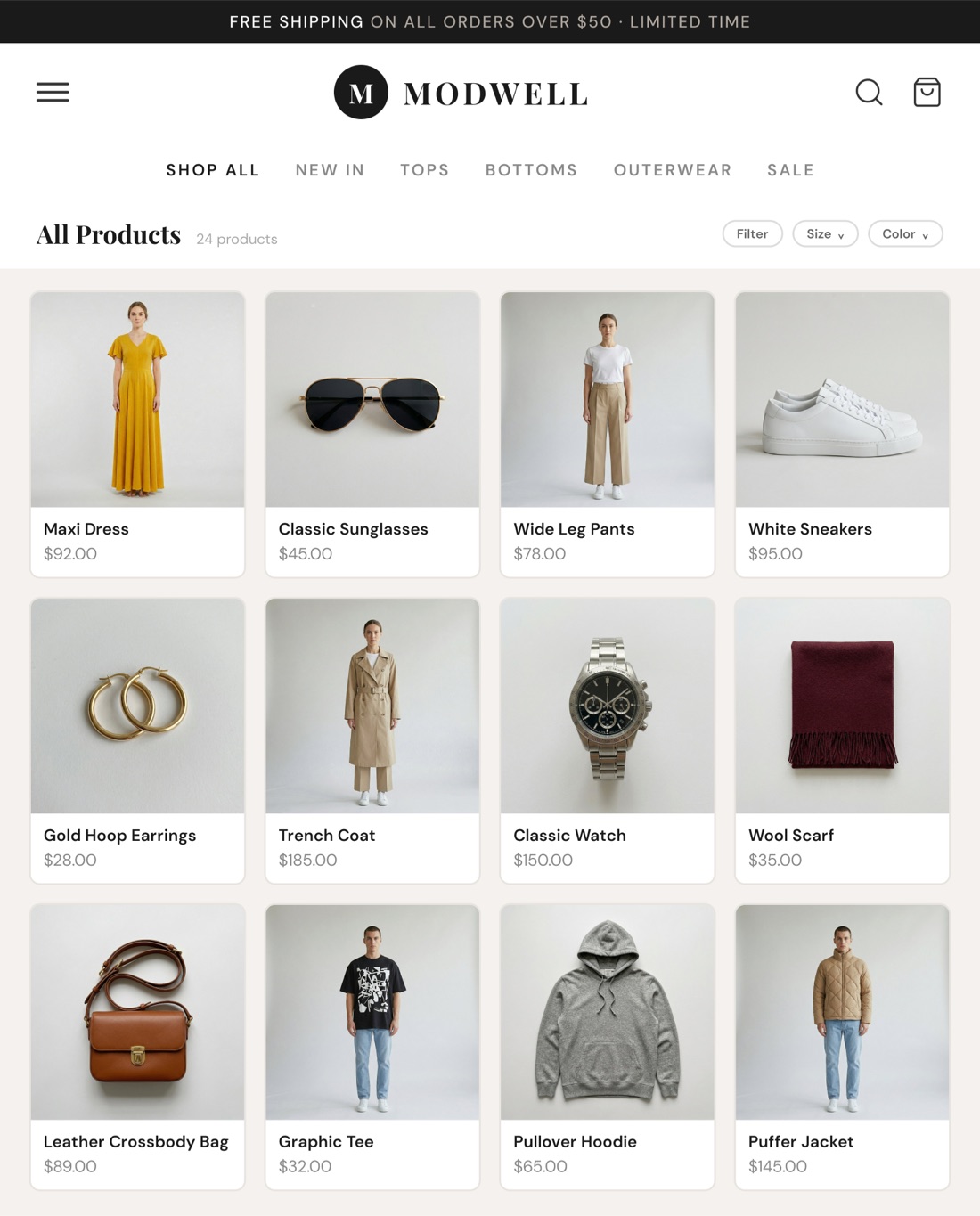
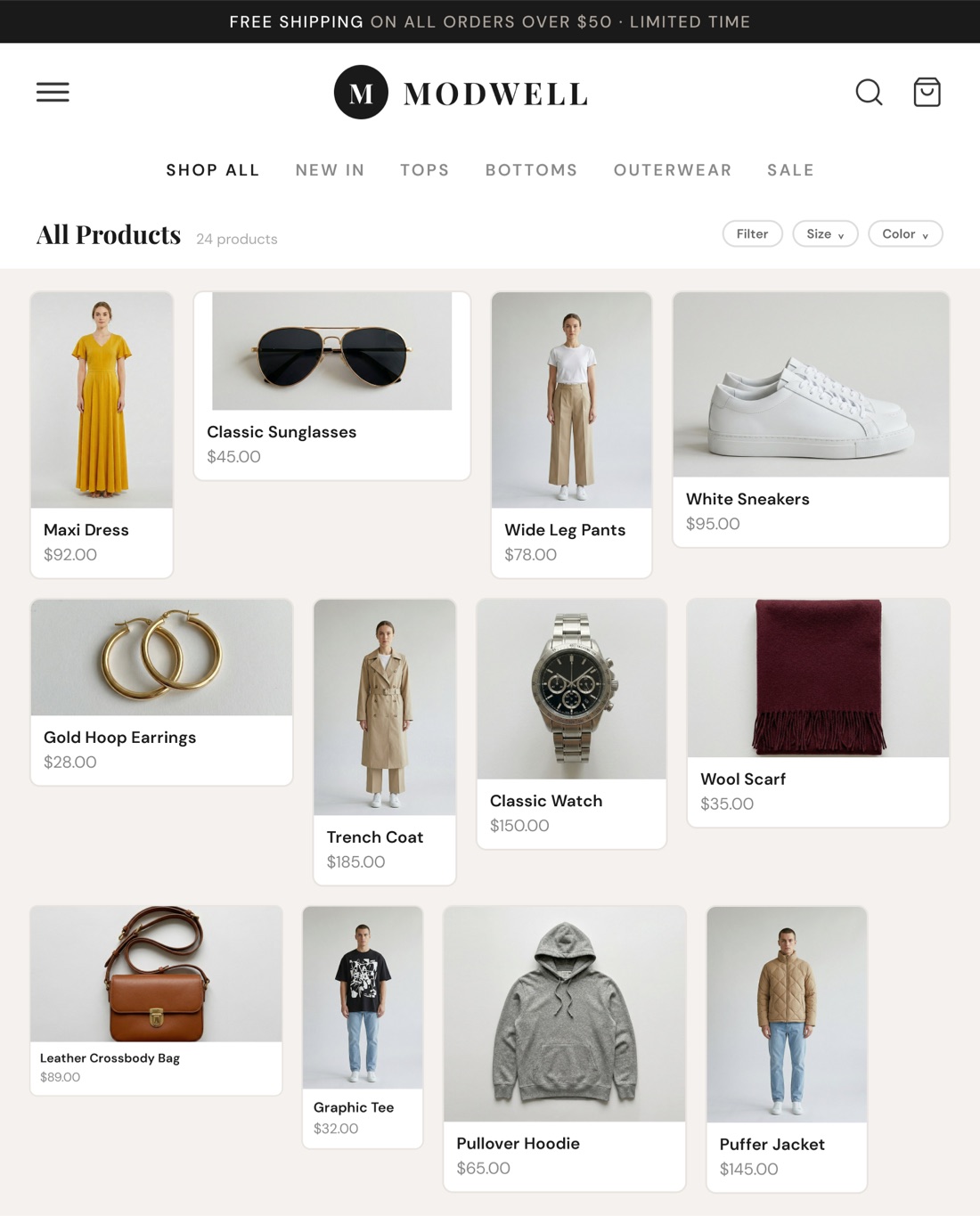
Product photos come from everywhere — suppliers, your phone, last year's photoshoot — and no two end up the same ratio. On a collection page it shows: a jumbled grid, cut-off products, nothing lining up.
One uniform aspect ratio fixes it. The catalog reads as one store, not a flea market — and a store that looks deliberate is a store shoppers trust with their money.
Keep it effortless
Love the tool?
Our Photo Resize app on Shopify does your resizing on autopilot
This free tool is perfect for a one-time cleanup. But new products arrive every week, and re-resizing by hand gets old. Pixc: AI Photo Resize lives inside Shopify and resizes every new photo automatically.

AI Extend, not just crop
When a photo is too tight, the app extends the background instead of chopping your product. A plain resizer can't do that.

Runs automatically
New product photos are resized the moment they're added. No exporting, no re-uploading, no zip files.

Your whole catalog, consistent
Set one aspect ratio across every product — a professional look that holds as your store grows, without you thinking about it.
Free to install · Works on any Shopify plan
Frequently Asked Questions
Any product, any category