

Most product page design quietly leaks revenue. Baymard Institute’s latest ecommerce UX benchmark found that only about 18% of product pages earn a ‘good’ or ‘acceptable’ rating, and roughly 52% of desktop sites and 62% of mobile sites perform at ‘mediocre or worse.’ That’s a lot of stores quietly losing sales they already paid to get.
The frustrating part? You’ve already done the hard work. You drove the traffic, you got the click, and the shopper landed exactly where you wanted them. Now your product page either earns the add-to-cart, or it doesn’t. There’s no second chance and no in-store assistant to save the sale.
The good news: the stores that consistently convert aren’t doing anything magical. They’re getting a handful of fundamentals right, on purpose. We pulled six brands that are clearly nailing it and broke down the specific lessons worth stealing from each. If you want a broader view first, our post on the common product page design issues we keep seeing is a useful counterpoint.
What makes a product page design convert?
Direct answer: A product page converts when it answers three questions in seconds: (a) What is this? (b) Is it for me? And (c) How do I buy it?
The strongest product pages combine high-quality images, scannable benefit-driven copy, an obvious add-to-cart button, real social proof, and a mobile-first layout. Miss any one of those and conversions drop.
Every successful product page design we’ll look at in this post combines those five elements in some way. None of them is revolutionary. The difference is that the stores that convert treat them as non-negotiable. On the other hand, most stores treat them as nice-to-haves. If you want to dig into the building blocks first, our breakdown of the essential product page elements covers the foundations in more detail.
One more thing worth saying upfront: ‘high-converting’ is relative. According to Shogun, the average ecommerce conversion rate sits around 1.3%, with the top 20% of stores hitting over 3.2%. The lessons below are how the top performers get there. Now let’s get into them.
Lesson 1: Lead with image quality (Allbirds)
Allbirds product pages do the thing every great ecommerce product page does: they let the images carry the sale. Open any shoe page. You’ll find a clean studio shot first, then close-ups of the materials, then lifestyle shots of someone actually wearing them on a sidewalk. By the time you’ve scrolled through five images, you’ve basically held the shoe.
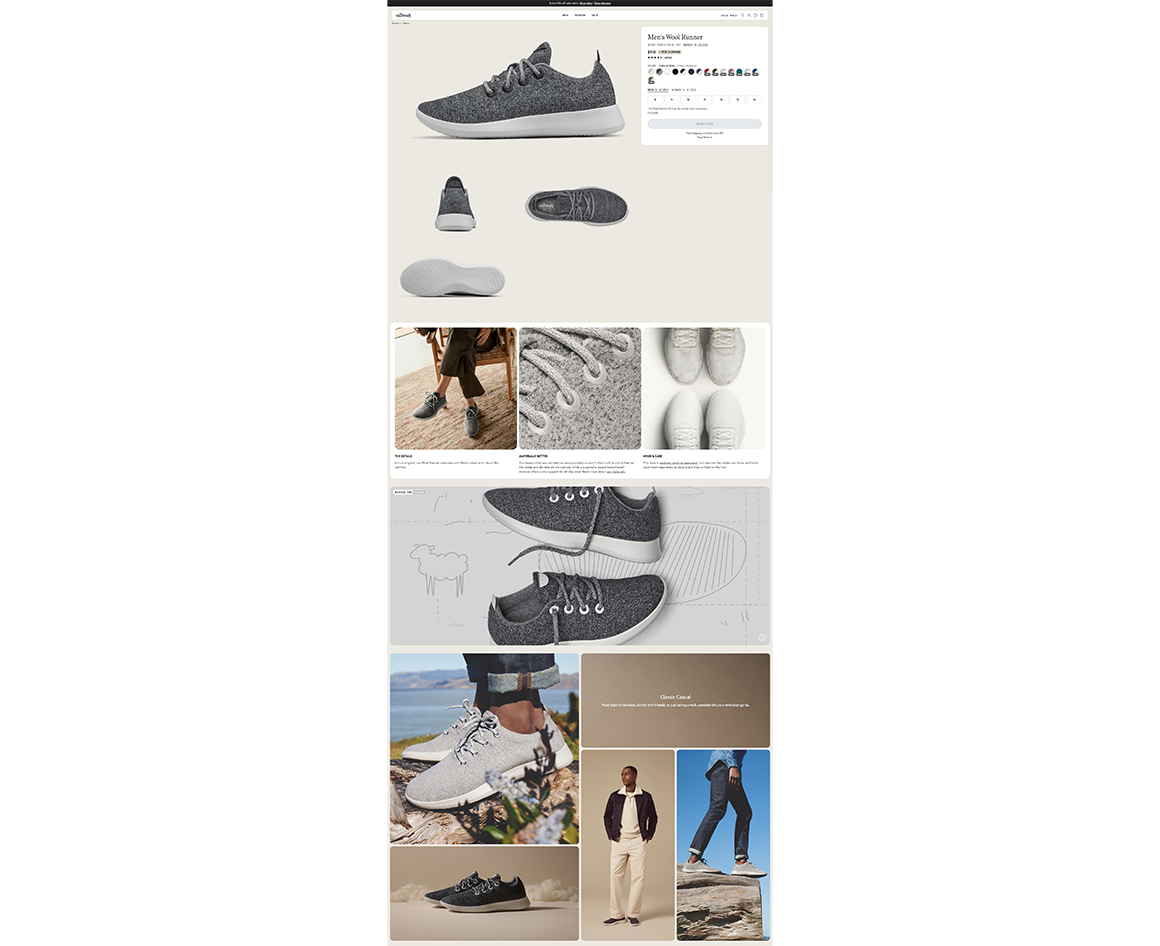
This isn’t accidental. According to Mobiloud’s 2026 PDP guide, 67% of online shoppers cite image quality as the top factor in their buying decision, ahead of descriptions, reviews, and even price. A separate Shopify product page checklist we came across found that products with four or more images convert about 28% better than those with fewer.
What that means for you:
if you’re going to fix one thing on your product page design this week, fix your images first. Not the layout, not the copy, the images. Mix studio shots on a clean background with at least one or two lifestyle shots that show scale and context. We’ve written more about why multiple product images matter and how to take great ecommerce product images if you want a deeper dive.
Lesson 2: Make the add-to-cart impossible to miss (Suri)
Direct answer: A high-contrast, persistent add-to-cart button is the single most important element on a product page. On mobile, a sticky add-to-cart bar can lift add-to-cart rates by 8 to 12% on its own. Treat the CTA like the only thing on the page that matters, because functionally, it is.
Sustainable electric toothbrush brand Suri has one of the cleanest add-to-cart designs we’ve seen recently. Shopify’s own product page optimization piece featured Suri specifically because the button uses high contrast against a soft background, sits in clear space with no competing elements, and stays visible as you scroll.
Maria Bonello, Director of Strategy at SMAKK Studios, told Shopify it’s the first thing she looks at when auditing a product page.
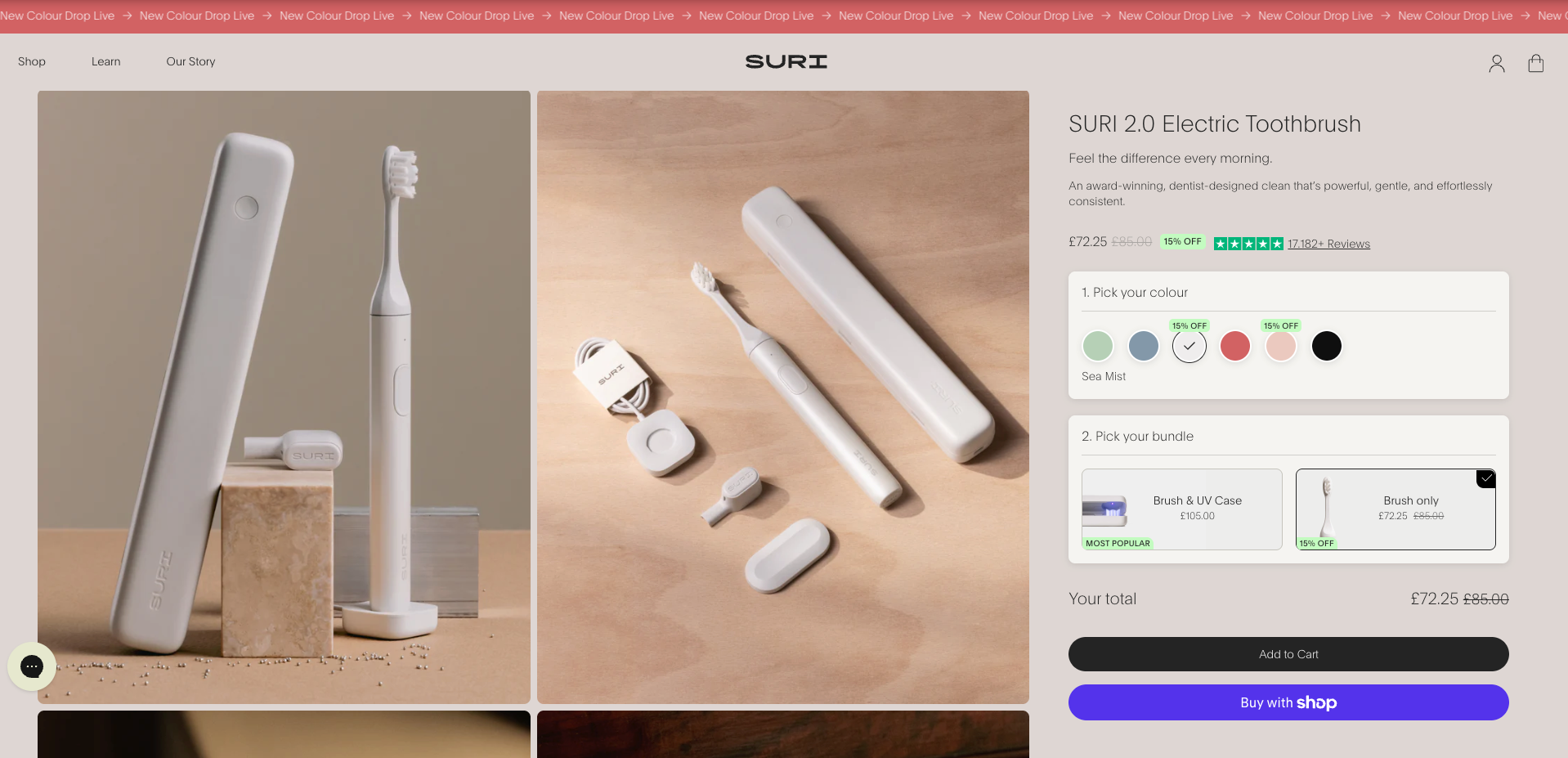
The mistake most stores make is letting the add-to-cart fight for attention. Promo banners stack on top of it. The button color blends into the brand palette. On mobile, you scroll past it and it’s gone. Each of these feels minor, but they compound, and you watch your add-to-cart rate quietly drop.
Three rules to live by here
The button should have a strong color contrast against everything around it, it should sit in its own breathing room with no clutter, and on mobile, it should stick to the screen as the shopper scrolls. Skip clever copy, too. ‘Add to Cart’ or ‘Buy Now’ beats anything cute, every time.
Lesson 3: Write descriptions that sell, not specs that bore (Dr. Squatch)
Dr. Squatch sells bar soap. That’s a hard product to describe online, because shoppers can’t smell it, touch it, or test how it lathers. But their product pages still convert, because the copy doesn’t try to describe the soap. It describes the experience. A scent gets called ‘tranquil and exotic,’ a beach chair in the sun. You can practically taste the Pina Colada one.
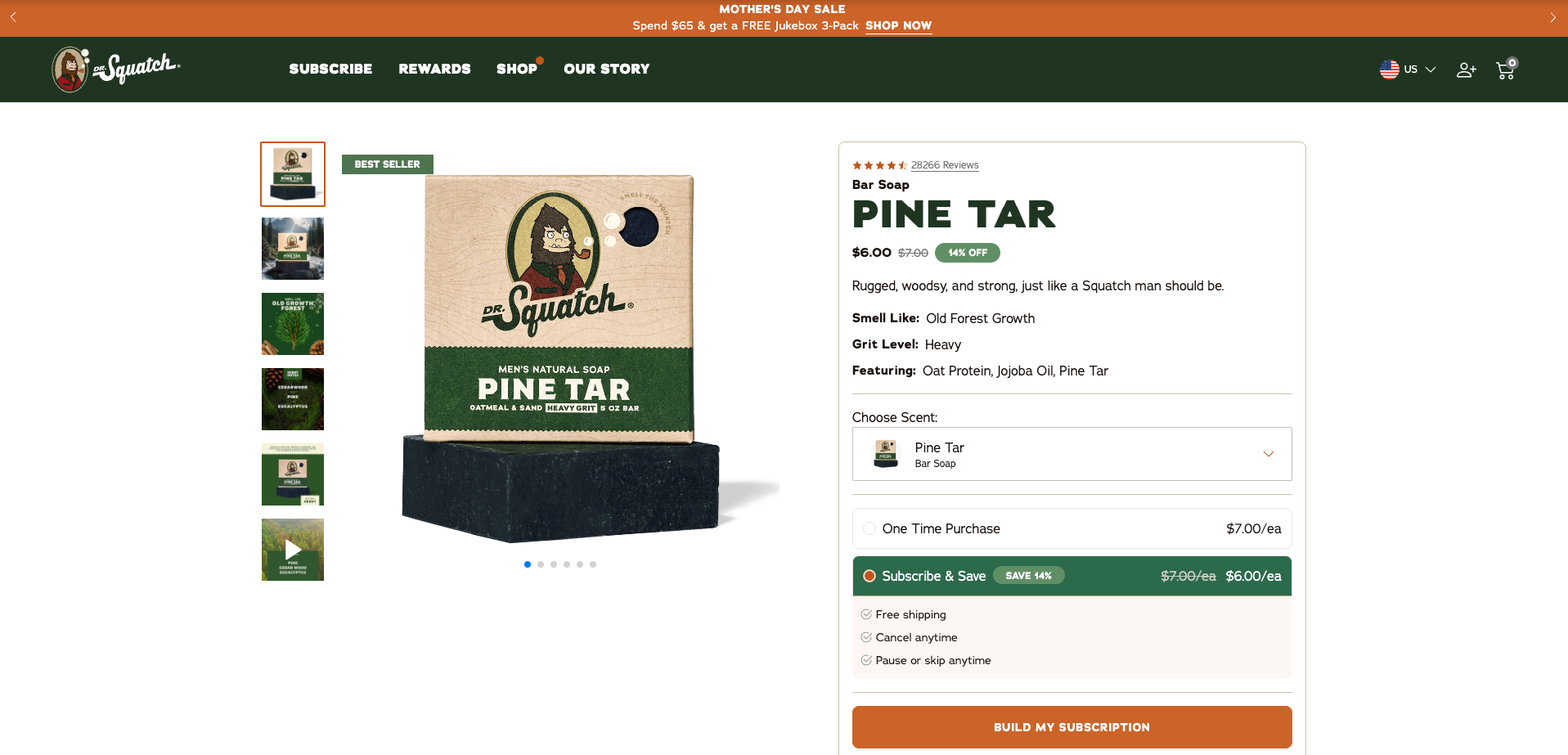
That’s the difference between a description and a sales pitch. Most product copy tells you what a product is. Great product copy tells you what it’ll do for you. The best ecommerce product page best practices we’ve seen all share the same structure: a benefit-led opening line or two, then a scannable bullet list of features, then a short paragraph that handles the most likely objection. Around 150 to 300 words is the sweet spot for most products.
How to fix your product descriptions?
If your descriptions feel flat, this is usually the highest-leverage rewrite you can do. Our guide on how to write product descriptions that sell walks through it step by step, with examples. The TL;DR: lead with the benefit, support with the spec, and never write a single sentence that doesn’t move the shopper closer to the button.
What does social proof do for a product page?
Direct answer: Social proof reduces hesitation. Products with 10 or more reviews convert about 52% higher than products without, and photo reviews are roughly six times more influential than text-only reviews. Place star ratings near the product title and let buyer-submitted images carry weight that polished studio shots can’t.
Manitobah, an Indigenous-owned Canadian footwear brand, gets this right in a way that’s worth studying. Their boots cost around $400, which is a price point where shoppers don’t make snap decisions.
Convertcart highlighted their product pages because they don’t lean on slick studio shots to sell trust. They lean on real customer photos: people in the boots on snowy sidewalks, at outdoor markets, walking dogs. The photography isn’t polished, and that’s exactly the point.
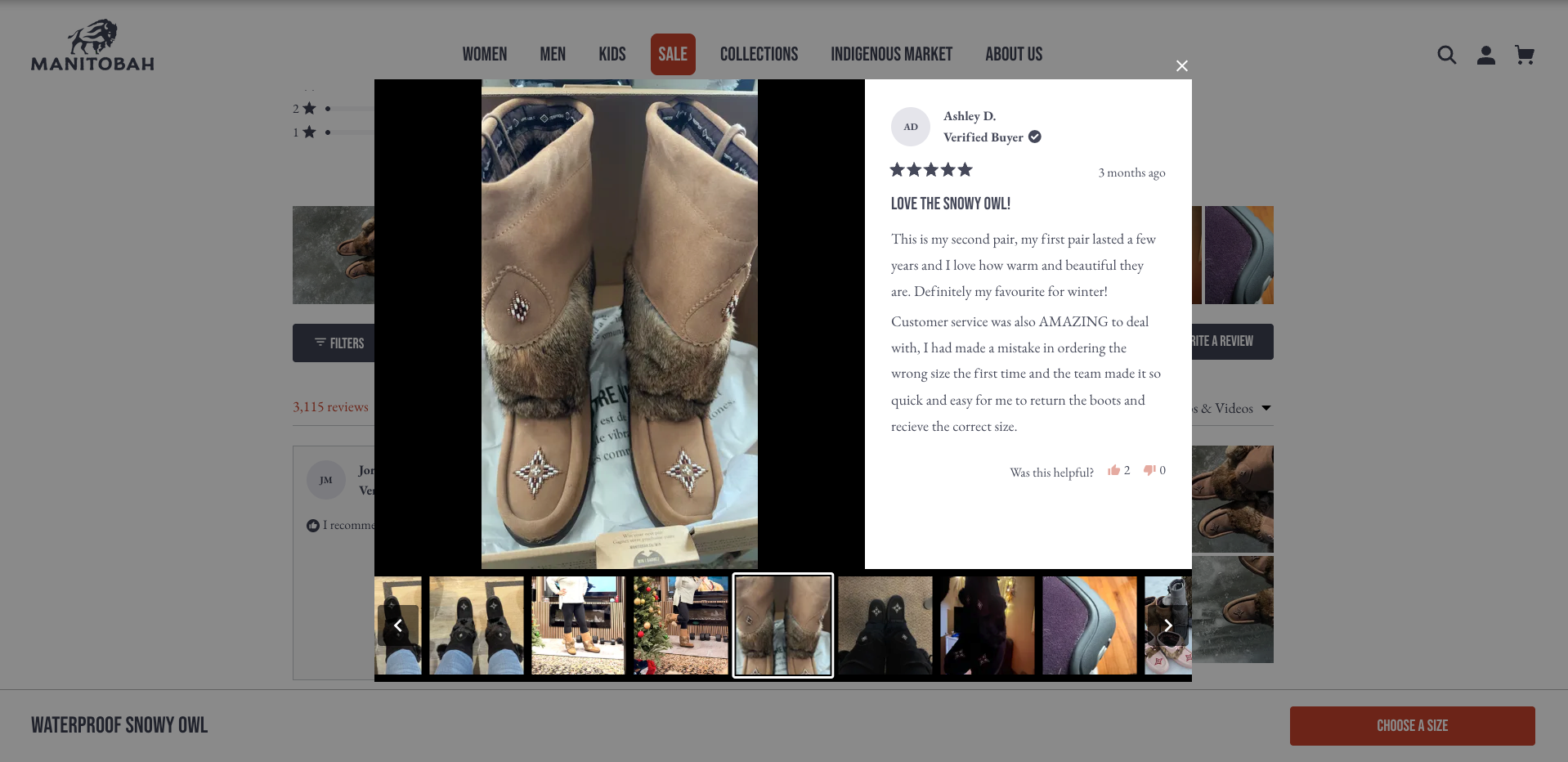
When the product price is high or the shopper is new to your brand, real customer photos answer the question your studio shots can’t: ‘will this actually work for someone like me?’
Convertcart also referenced Baymard research showing that ecommerce sites can lift conversion rates by over 35% through stronger trust elements alone, with reviews, transparency, and third-party validation compounding rather than adding linearly.
Practical take
Get star ratings up near your product title, not buried at the bottom. Encourage photo reviews, even with a small post-purchase incentive. And don’t hide negative reviews. A perfect 5.0 reads as suspicious to anyone who’s shopped online for more than a year.
Lesson 5: Anticipate the questions before they’re asked (Spanx)
Spanx product pages have a small detail that most stores miss: their size guides are context-sensitive. A shopper looking at leggings sees a different sizing chart than a shopper looking at shorts. Convertcart called this out because it solves the single biggest source of apparel hesitation, which is ‘will this fit me?’, without making the shopper hunt for the answer.
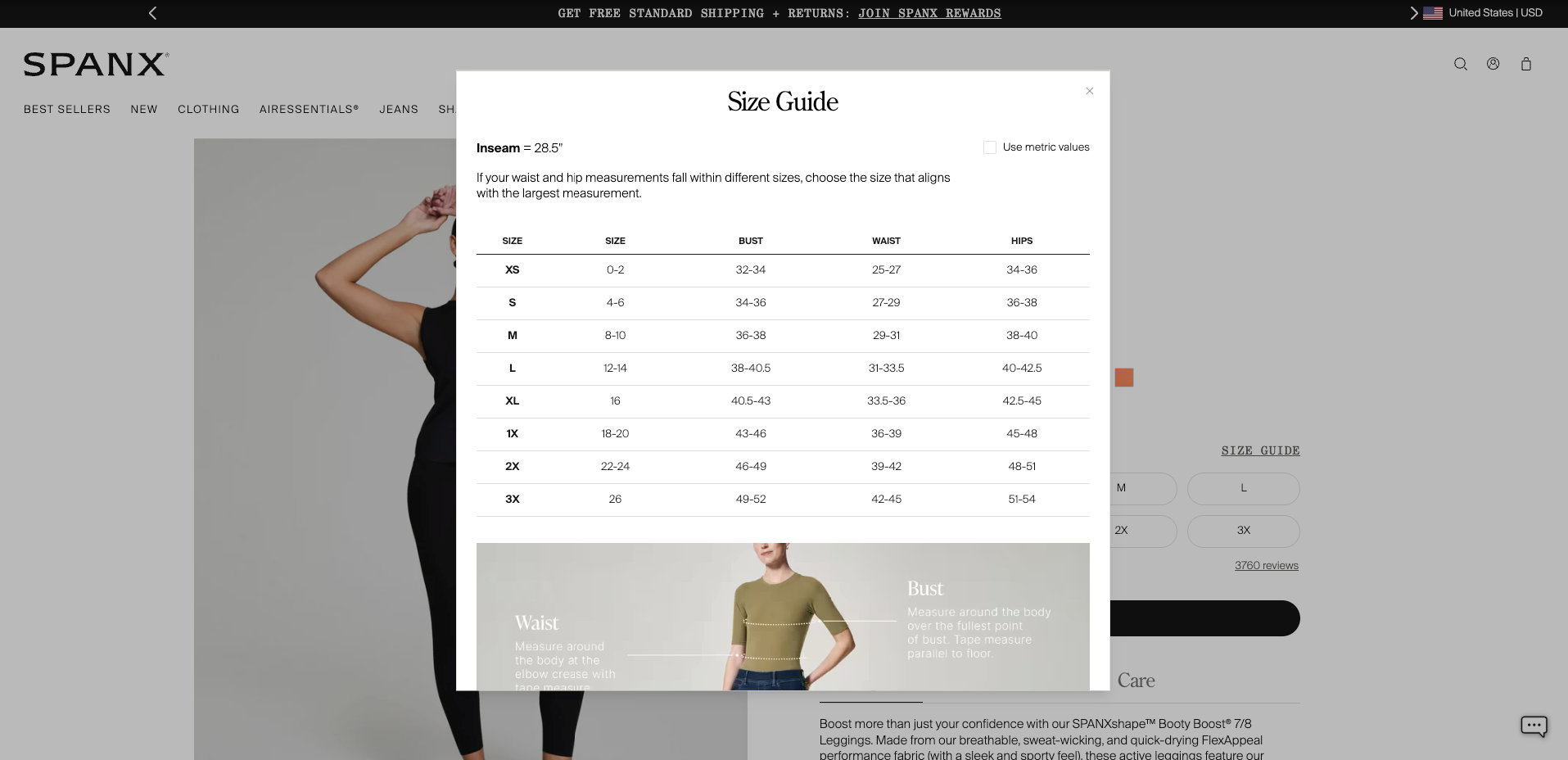
This is what a good product page design looks like in practice. Instead of stuffing every spec, FAQ, sizing note, and shipping detail into one long page, the best product pages anticipate what a shopper will need at each step and surface it right when they need it. Accordions, collapsible sections, and tooltips all work for this, as long as the most important info stays visible by default.
- The questions worth answering on most product pages:
- How big is it (sizing, dimensions, model height)
- How does it ship (timeline, cost, returns)
- What’s it made of (materials, ingredients, sourcing), and
- How do I use it (care, setup, fit notes).
If a shopper has to leave the page to find any of those, you’ve created friction. Friction is the silent killer.
Why mobile-first design isn’t optional anymore
Direct answer: Over half of ecommerce traffic, and a growing share of orders, comes from mobile. If your product page makes shoppers pinch to zoom, hunt for the price, or wait through slow images, they leave. Mobile-first means the most important elements (image, price, CTA) are thumb-friendly and visible above the fold.
Our sixth example here is more of a category than a single brand: B2B custom apparel store Merchology rebuilt their mobile experience with simplified navigation, a sticky CTA, and faster page speed, and saw measurable mobile conversion gains within a month. On Tap Group documented the redesign and what changed. The point isn’t that they did anything exotic. The point is that mobile-first wasn’t an afterthought.
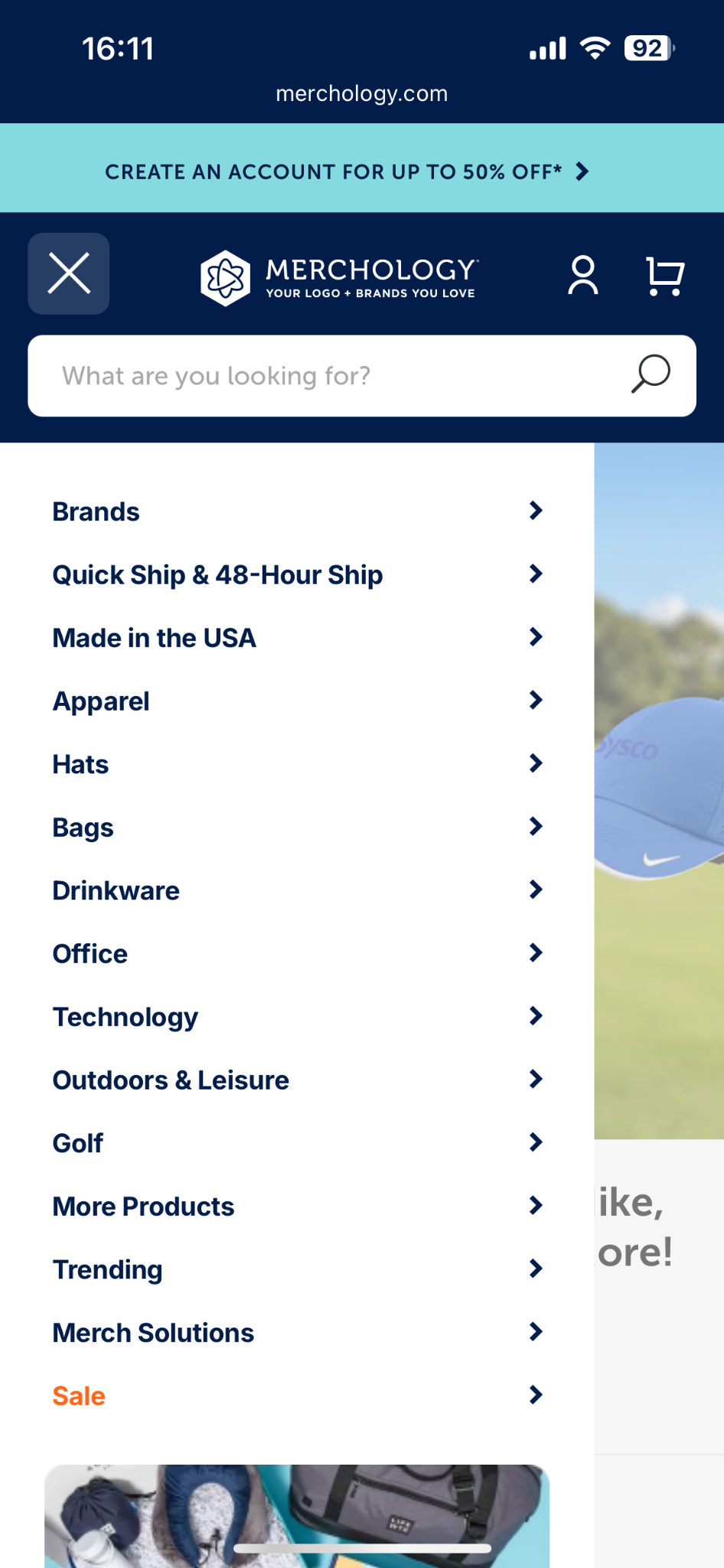
Mobile commerce now accounts for over half of all ecommerce sales, and that share is climbing. Mobile shoppers scroll faster, tap less precisely, and abandon more quickly.
According to a Digital.com survey cited by Shogun, 53% of online shoppers expect pages to load in three seconds or less, and 50% will abandon if pages are slower. Image weight is usually the biggest culprit. This is one of the reasons we built Photo Resize in the first place.
What to check on your own store
does the price show above the fold on mobile without scrolling? Is the add-to-cart button thumb-friendly (at least 44 by 44 pixels)? Does it stick to the screen? Do your images render quickly on a 4G connection? If any of those are no, you’ve found your highest-leverage fix.
How to apply these lessons to your own store
Reading about product page design is easy. Auditing your own pages is where the gains actually happen. Here’s a five-step walkthrough you can run on your top-selling product page in about 30 minutes:
- Pull up your highest-traffic product page on a phone, not a desktop. Most audits skip this and miss the real problems. Note anything you have to scroll, pinch, or tap twice to access.
- Count the product images. If you have fewer than four, that’s lesson one. Add at least one lifestyle shot showing scale, plus a close-up of texture or detail. Optimize the file sizes so they don’t slow the page down.
- Find the add-to-cart button. Is it the highest-contrast element on the page? Does it stay visible as you scroll on mobile? If either answer is no, fix it. Sticky add-to-cart apps are a one-day install.
- Read your product description out loud. If the first sentence describes what the product is instead of what it does, rewrite it. Lead with the benefit, support with the spec.
- Check what’s above the fold on mobile: image, title, price, rating, add-to-cart. If any of those five aren’t visible without scrolling, your above-the-fold needs work. This is usually the highest-leverage layout fix you can make.
Don’t try to fix everything at once and try to pick the one item from this list that feels most broken on your store, ship the change, and watch what happens to your add-to-cart rate over the next two weeks. Then, move on to the next one.
For a more complete audit framework, our product page optimization tips piece walks through it from a different angle, and you can also check out our roundup of ecommerce stores with great product photography for more visual inspiration.
Bringing it all together
Great product page design isn’t built from a single trick. It’s built from a handful of fundamentals layered well: images that do the selling, copy that answers the right questions, an add-to-cart that can’t be missed, social proof that feels real, and a mobile experience that respects the shopper’s time. Every brand we covered here, from Allbirds to Spanx, gets some version of all five right. The good news for you is that none of these require a redesign. They require attention.
If image quality is the lever you want to pull first (and statistically, it should be), our Photo Resize app on Shopify handles the resize-and-optimize side of it automatically, so you can focus on the lessons that actually need your judgment. Either way, pick one of the six lessons above, ship the change this week, and let the data tell you what to fix next.
Frequently Asked Questions
1. What makes a product page convert?
A product page converts when it answers three questions almost instantly: what is this, is it for me, and how do I buy it. The strongest product pages combine high-quality images, scannable benefit-led copy, an obvious add-to-cart button, real social proof, and a mobile experience that stays out of the way. Stores that get even one of those wrong leave conversions on the table.
2. What is a good conversion rate for a product page?
The average ecommerce conversion rate sits around 1.3%, according to Shogun’s analysis of over 3,000 stores. The top 20% of stores convert at over 3.2%, and the top 10% sit above 4.8%. If you’re below 1%, your product page is the most likely culprit. Audit images, CTA visibility, and mobile experience first, since those move the needle fastest.
3. What are the most important elements of a product page?
The non-negotiables are high-quality images (at least four per product, mixing studio and lifestyle shots), a benefit-led product description, a high-contrast add-to-cart button visible above the fold, star ratings near the product title, and a mobile-first layout. Trust signals like shipping info, return policy, and security badges near the CTA round out the core.
4. How many product images should a product page have?
Aim for at least four images per product, and ideally five to eight. According to a Shopify product page checklist we reference, products with four or more images convert about 28% better than those with fewer. The ideal mix is one or two clean studio shots, one lifestyle or in-use shot for scale, and one or two close-ups for texture and detail.
5. Should I use video on my product pages?
Yes, when it makes sense for your product. Mobiloud’s 2026 PDP research found that shoppers who watch a product video are 144% more likely to add the product to their cart. Video is especially valuable for products that are hard to describe (skincare, technical gear, fit-sensitive apparel) or where customers want to see the product in motion. A 15 to 30-second clip is usually enough.