

Every shopper who lands on your store is either going to type something into the search bar or click their way through your collections to find it. These shoppers are the closest to buying of anyone on your site. They know what they want, they’re actively hunting for it, and when your store can’t deliver it, they leave. This has been my experience lately.
For most Shopify stores, it comes down to two things: the search box and your filters, and both are places where stores quietly lose shoppers who were ready to buy. The ecommerce site search best practices below cover each one.
The shopper who searched and got nothing: Fix your zero-results page
Zero-results pages are one of the most avoidable problems in ecommerce site search, and most store owners don’t realize how often they’re happening.
A shopper types “navy blue throw” or “XL winter coat,” gets back an empty, no-results page, and that’s it… they’re gone.
Start by finding out how often this is happening in your store.
In Shopify, go to Analytics > Reports > Search. You can see which terms people searched and which ones returned zero results. That list is the simplest form of search analytics you have. If “winter coat” returns nothing but you sell coats, the problem is usually that your product titles and tags don’t match how shoppers describe things.
The fix is typically one of two things: update your product metadata so common search terms actually map to real products, or set up search redirects so that when someone hits a dead end, they land on the closest relevant collection instead of an empty page. Neither fix is glamorous, but this is where ecommerce search optimization starts.
The shopper who searched “wrong”: Synonyms and typos your store doesn’t recognize yet
Shoppers search the way they think, not the way you’ve written your product listings.
Someone might type “couch” when you sell “sofas,” or “grey” instead of “gray,” or “tee” instead of “t-shirt.” If your store’s search is strictly literal, it fails everyone who doesn’t happen to use your exact wording.
Shopify’s default search handles some of this, but it’s limited. For real synonym support, typo tolerance, forgiveness of common misspellings and autocorrect, you’ll generally need a third-party search app. Boost Commerce, Searchy, and Searchandise are commonly used options, and most of them also add autocomplete to your search box, so shoppers see search suggestions before they finish typing a word they were about to get wrong. Before you go that route, though, audit what you can control right now.
Look at your product tags. Tags like “blue” and “jacket” are vague. Specific tags like “navy,” “raincoat,” and “women’s outerwear” give search more to work with. Also check your product descriptions – if you only ever call something a “sofa” and never a “couch,” you’ve created a gap that synonyms in your tags can close. Getting your tags and descriptions right first will make any search tool you add later work better.
The shopper who couldn’t narrow it down: The filters that actually matter
Ecommerce filtering matters most when a collection has more than around twenty or thirty products.
Below that, shoppers can browse. Above that, they need a way to filter items down, and if the filters aren’t there, they give up. Good ecommerce filters are simple and predictable: visible filtering options, clear labels, and an obvious way to unselect them again.
The filters that consistently get used are:
- Price (a range slider, not dropdown buckets, if your theme supports it)
- Size
- Color
- In-stock only (especially important if some items sell out frequently)
- Material
Beyond those, think about what’s specific to your category. A bedding store might need thread count. A shoe store needs width. A candle shop might need a scent family. A Star rating filter is worth adding if you have the volume – reviews as filters double as social proof right when shoppers are comparing. Every ecommerce filter should have a reason to be there: add the ones shoppers need, not every product attribute you track.
In Shopify, you can add filters through your theme settings under Collections, and through product metafields for more custom attributes. If your current theme doesn’t support filters well, apps like Boost or Searchie can layer faceted search on top. Faceted navigation can create a lot of near-duplicate URLs, so the basics of faceted navigation SEO apply. Let search engines index the filtered category pages you would genuinely want to rank for, and keep the rest out of the index.
One thing to check: are your filter values consistent? If some products are tagged “Red” and others “red” and others “RED,” those appear as three separate filter options. Standardize your tags so your filters work cleanly.
The shopper who couldn’t tell your products apart: Clean up your results page
When a search returns fifteen similar products, the results page is where shoppers decide which ones to look at.
If your images are cropped differently, lit inconsistently, or showing products at odd angles, that split-second comparison is harder than it needs to be.
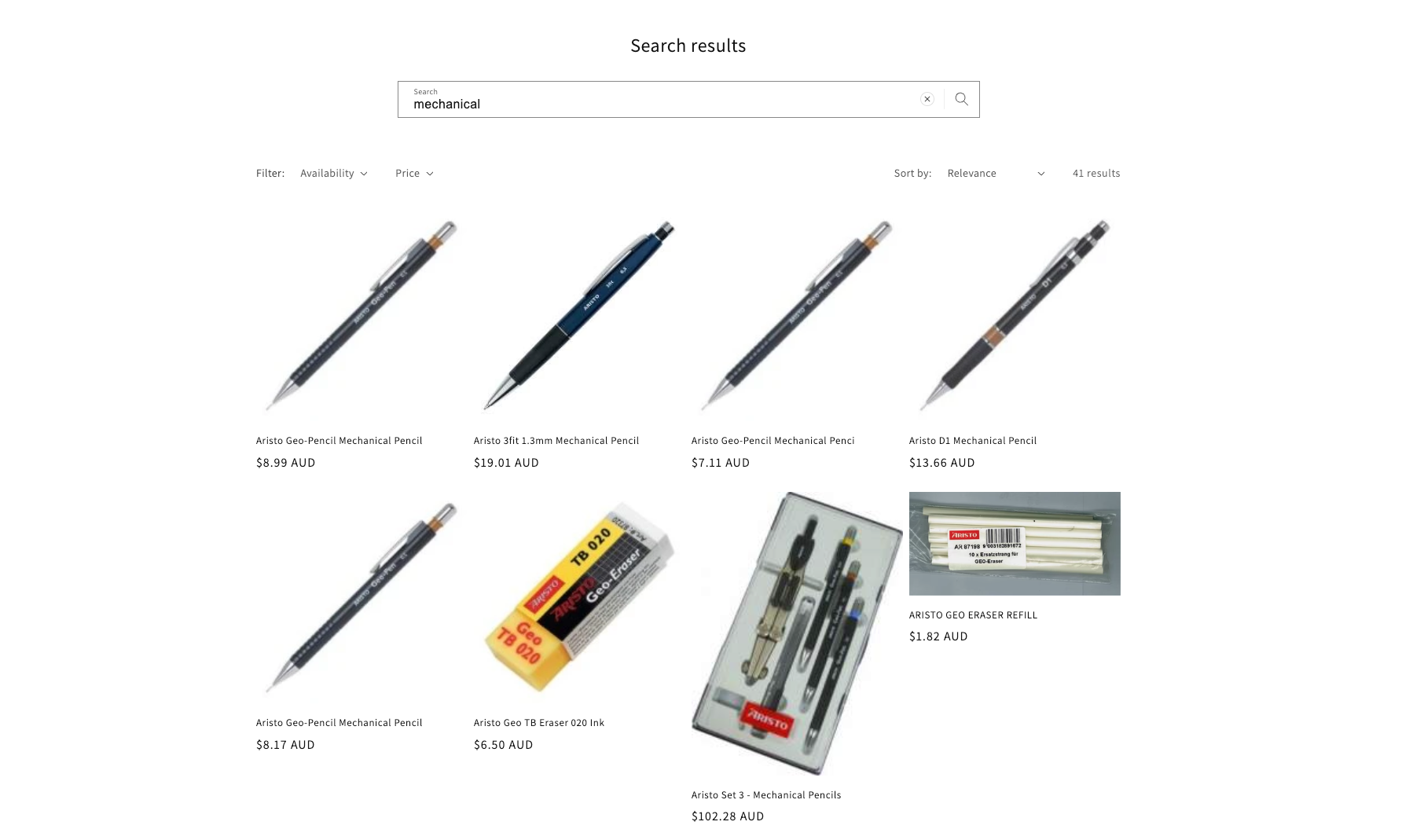
Results pages work best when product images are consistent – similar framing, clean backgrounds, products at the same scale. Shoppers are reading a grid at a glance, and inconsistent images slow that down. Check the same page on a phone as well — on mobile search, products sit closer together and can look very similar at a small scale.
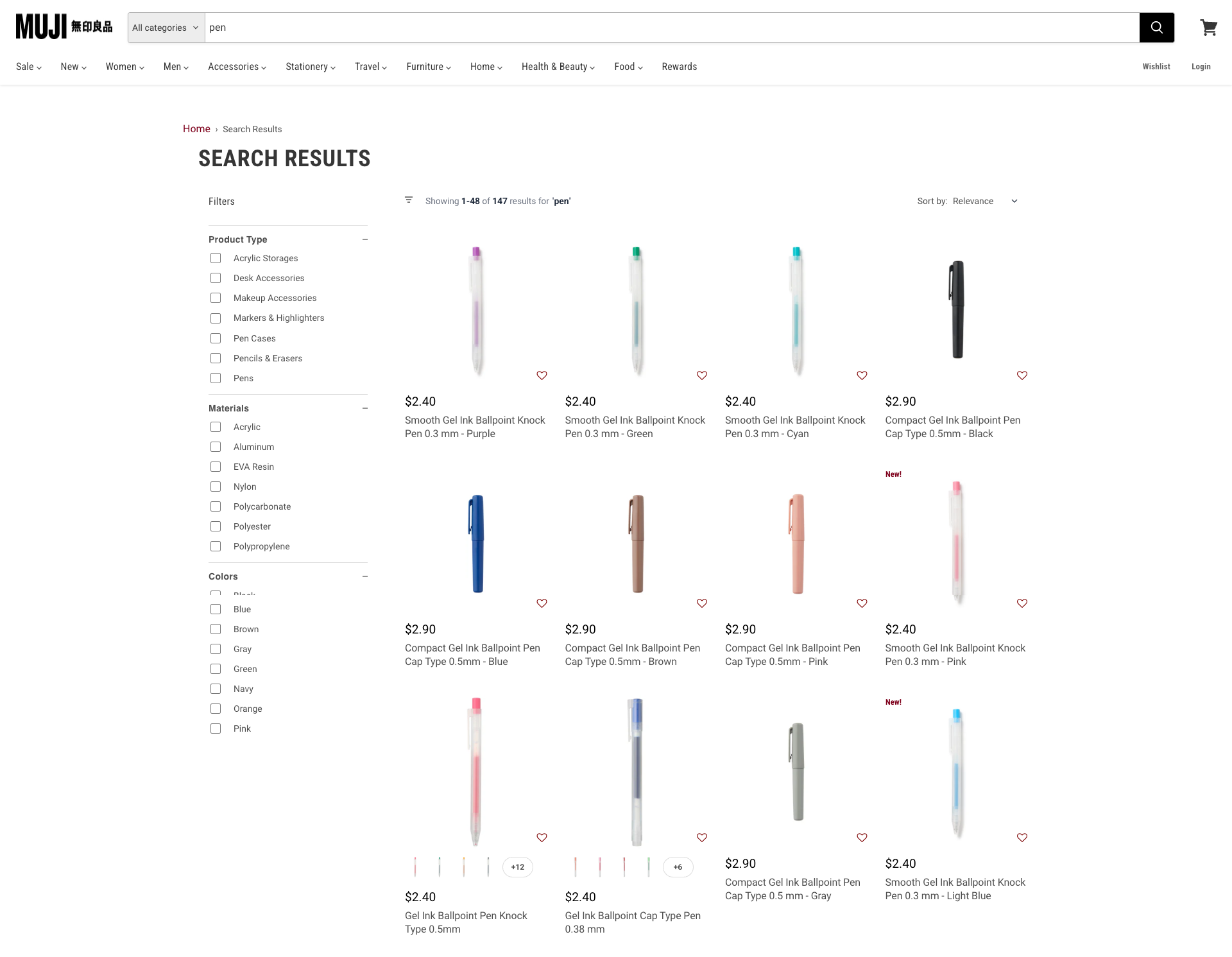
This is also where your alt text does more work than most store owners realize. Accurate, descriptive alt text helps screen reader users navigate your store and reinforces product discoverability, since alt text is part of what search indexes when it crawls your pages. If you’ve got a large catalog and writing good alt text keeps falling to the bottom of the list, Pixc’s AI Auto Alt Text can handle it automatically, generating accurate descriptions for every product image.
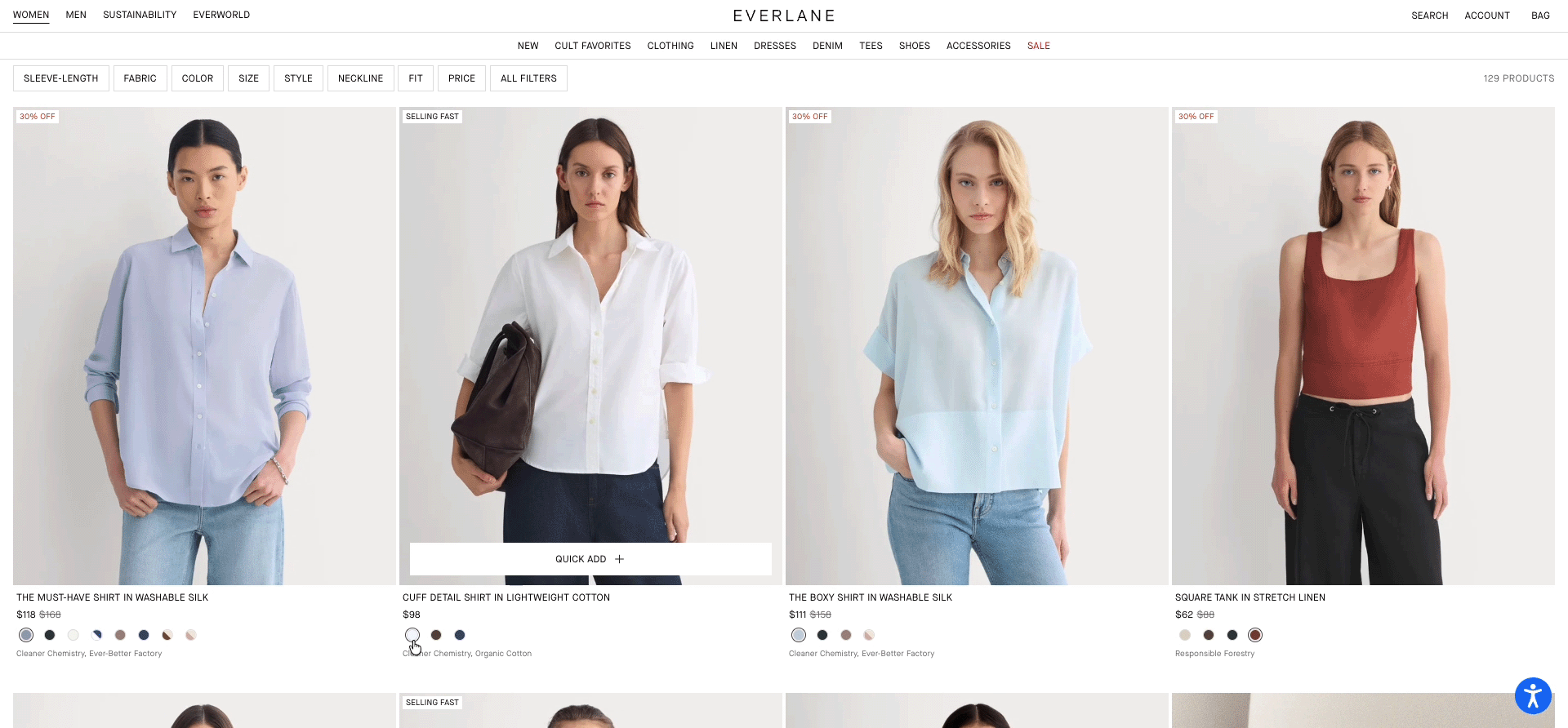
Beyond images, look at what information you’re showing on your results cards. Product name and price are the basics. If you sell items with variations like sizes or colors, showing a color swatch or key variant info on the card itself saves shoppers a click and helps them decide faster.
Dynamic thumbnails that swap to match the selected swatch help, and a quick view lets shoppers add to cart without losing their place in the results.
The shopper who doesn’t know what they’re looking for: Sorting and smart defaults help browsers decide
Some shoppers arrive knowing roughly what they want but not exactly.
Someone might be looking for “a gift for a friend who cooks” or “something for the bedroom in a neutral color.” Literal keyword matching won’t catch queries like these.
Semantic search tools – the AI search ones that use natural language processing to read intent rather than match exact strings – handle this much better.
Shoppers use search and filters to explore rather than hunt, so your sorting options and the product ranking behind them make a real difference for them.
Getting your default sort order right is the first thing to address.
“Best Selling” and “Newest” are usually the two most useful default sorts, and most Shopify themes include them. If you’ve done any merchandising work – highlighting certain products, pushing seasonal items – make sure your default sort actually reflects that. A collection that defaults to alphabetical order is rarely showing off your best products first.
Some stores benefit from going further. Quiz-style guided finders (apps like Octane AI or Quiz Kit ask a few questions and then recommend products) work well in categories with high decision fatigue, like skincare or supplements. They’re not right for every store, but if shoppers are leaving particular collections, a product finder quiz is worth testing. The answers give you real personalization, so your product recommendations aren’t the same grid for every shopper.
For most stores, the biggest win is a well-chosen default: your highest-converting or most popular products surfaced first, and search results that don’t return things in a confusing order when no filter is applied.
What your ecommerce site search data is already telling you
Most stores collect this data and don’t look at it enough. A few commerce site search statistics worth checking regularly:
Zero-results rate: In Shopify Analytics > Reports > Search, look at how often searches return no results. Even bringing that rate down from 15% to 8% is meaningful.
Search usage rate: What percentage of sessions include a search? Roughly ten to thirty percent is typical for ecommerce, though it varies a lot by category. If your number is well below that, your search bar might not be visible enough, or shoppers may not trust it to work. The small magnifying glass icon is easy to miss, and vague placeholder text does not tell people what they can search for.
Search-to-cart rate: How often does a session that includes a search end in an add-to-cart? You can track this in Google Analytics 4 by setting up an event for site search and connecting it to your conversion funnel. If the click-through rate on your results pages is low, or searchers are converting at a lower rate than browsers, that points to a search relevance problem or a results-page problem.
The search report in Shopify is a solid starting point. For anything more nuanced, you’ll want GA4 or a third-party search app that includes its own analytics dashboard.
Stores that fix their search and filtering don’t necessarily need more traffic. They just stop quietly losing the visitors they already have – the people who arrived knowing what they wanted and left because the store couldn’t help them find it.
There’s no single thing that solves this. It’s a series of small fixes: better product tags, consistent filters, a clean results page, and a running list of search terms you know are failing.
None of it is complicated, and the internal site search best practices that work for a huge catalog work just as well for a small one. But each one compounds. A store people can actually navigate converts better across the board: higher conversion rate, lower bounce rate, and less of the traffic you already pay for going to waste
If you’d like to sort out the image and alt text side of things, you can learn more about what Pixc does here.